Free QR Code Generator
Create a custom QR code that never expires - free, no sign-up, no watermark.
Design & brandingcolors · logo · frames
Center logos use 30% error correction so the code still scans.
Want to edit or track this?
This makes a static code (permanent). Create a free account for dynamic codes you can edit after printing, with scan analytics.
Make it dynamic →Free forever · No watermark · Never expires
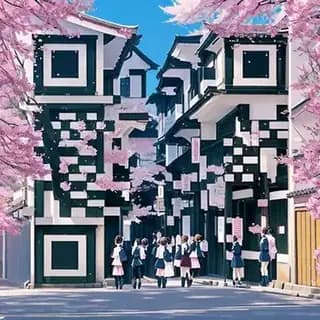
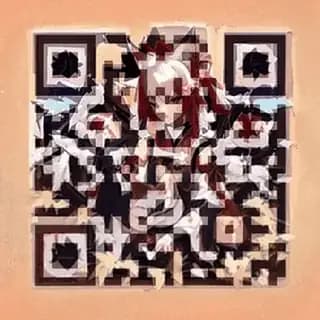
Or make it art. Same code, still scans.
Animated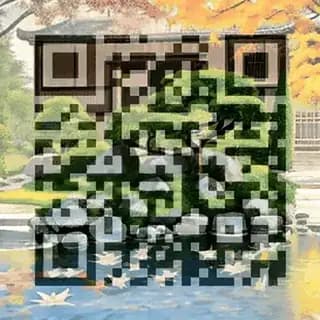

How to make a QR code
Paste your link above, pick your colors, and download. Your QR code works instantly with any modern phone camera - no app required. For print, download the SVG so it stays sharp at any size.
Static vs dynamic QR codes
The generator above creates static codes - the destination is permanent and free forever. If you need to change the link after printing or want to track scans, create a free account and make a dynamic code. Learn more about the difference between static and dynamic codes. No account is needed for a static code at all - see the no-sign-up generator.
Dedicated generators by code type
The generator above handles every type, but these pages walk through one type in depth - what to put in each field, and how to print it so it actually scans:
- vCard QR code generator - save your name, phone and email straight to their contacts
- PDF to QR code - open a hosted document from a menu, poster or packaging insert
- WiFi QR code generator - guests join the network without typing the password
- Bulk QR code generator - up to 100 codes from a pasted list or CSV
- QR code with a logo - brand the pattern with your colours and mark
- Barcode generator - Code 128, EAN-13, UPC-A, ITF-14 and Data Matrix for tills, cartons and parts, not phones
Which QR code type to pick
The generator above takes several content types, and each behaves differently when scanned. URL opens a web page and is the right choice for almost anything printed: posters, menus, packaging, flyers. Text shows a sentence with no internet connection, handy for a serial number or a short instruction. WiFi joins the phone to a network without typing the password, and works offline because the credentials live inside the code itself. vCard saves a full contact to the phone with one tap, the natural pick for business cards. Email, SMS and phone open the matching app with the recipient already filled in.
One practical rule: if the destination could ever change, do not encode the data directly. Encode a URL and decide later what sits behind it. A code pointing at one specific PDF stops being useful the day the menu changes; one pointing at a URL you control keeps working.
PNG, SVG or PDF: which format to download
PNG is a pixel image. Use it for screens, social posts, slide decks and small prints from an office printer. Download it at the largest size the generator offers and never scale it up afterwards: a stretched PNG blurs the edge of every module and readers start to fail.
SVG is vector: geometry rather than pixels, so it prints sharp at any size from a 2 cm label to a 3 m banner. It is the file any print shop or designer will ask for, and the one to keep as your master. PDF is the same vector geometry wrapped in a print-ready document. The generator produces PNG and SVG for free; place the SVG in your layout to get a PDF.
When in doubt, download both: the PNG to use today and the SVG so you never have to regenerate the code when someone asks for the high-resolution file.
Minimum size and print quality
The distance rule: the code should be roughly one tenth of the scanning distance across. A code scanned from 30 cm (a menu, a card) works at 2 to 3 cm; one on a poster read from 2 m needs about 20 cm. Below 2 cm many phone cameras cannot focus that close and the code fails even when it is printed perfectly.
Print at 300 dpi or more, in black on white or an equivalent contrast, and keep a clear margin of at least four modules around the code (the quiet zone). Light colours on a light background, gradients and glossy surfaces that reflect light are the most common reasons a code will not scan. Longer content means a denser pattern that must be printed larger, which is why a short URL scans better than a long one full of tracking parameters.
Before ordering the run, print one proof at final size and scan it with an iPhone and an Android, in good light and in poor light. The QR code size for print guide has a table by surface, from business card to billboard.
Common reasons a code will not scan
A mistyped link, or a URL that demands a login: the code works, the destination does not. Open the link in a private browser window before encoding it. A static code pointing at a page that no longer exists: static codes cannot be edited, so if the destination might change or you want to know how often it is scanned, make a dynamic QR code instead. A logo that is too large in the middle: error correction tolerates a certain covered area and no more, so use the logo generator, which keeps the safe proportion.
And the simplest one: nobody knows what it is for. Put a one-line call to action next to the code, such as "Scan for the menu" or "Scan to join the WiFi". Codes with an instruction get scanned far more than codes standing alone.
Popular uses
- QR Code for Restaurant Menus
- WiFi QR Code Generator
- QR Code for Business Cards (Digital vCard)
- QR Codes for Events & Tickets
- QR Codes for Product Packaging
- QR Codes for Real Estate Signs & Flyers
- QR Code for TikTok
- QR Code for a Facebook Page
- QR Code for Linktree & Link-in-Bio Pages
- QR Code for Creators & Subscription Pages
- QR Codes for Hotels & Hospitality
- QR Codes for Gyms & Fitness Studios
- QR Codes for Churches & Ministries
- QR Codes for Nonprofit Donations
- QR Code for Payments & Tips
- QR Code for Your Resume or Portfolio
- QR Codes for Coupons & Promotions
- QR Codes for Trade Shows & Booths
- QR Code for Google Reviews
- QR Code for Instagram
- QR Code for a YouTube Video
- QR Code for a Website
- QR Code for App Download
- QR Code for WhatsApp
- QR Code for Spotify
- QR Code for Flyers
- QR Code for Surveys and Feedback
- QR Code for T-Shirts and Merch
- QR Codes for Airbnb & Vacation Rentals
- QR Code for Food Trucks
- QR Codes for Salons & Spas
- QR Code for Your Podcast
- QR Codes for Nonprofit Campaigns
- QR Code for Photographers
- QR Code for Your Email Signature
- QR Code for Newsletter Signups
- QR Codes for Car Dealerships
- QR Code for Google Maps
- QR Code for PayPal Payments
- QR Code for Telegram
- QR Code for Discord Servers
- QR Code for Your Etsy Shop
- QR Codes for the Classroom
- QR Code for a Google Doc
- QR Code for a Google Form
- QR Code for Open House Sign-Ins & Listings
- QR Code for Parking Payments & Instructions
- QR Code for Venmo
- QR Code for Cash App
- QR Code for Snapchat
- QR Code for Twitch
- QR Code for Pet Tags
- QR Code for Coffee Shops
- QR Code for Shopify Stores
- QR Code for Amazon Listings
- QR Code for X (Twitter)
- QR Code for Pinterest
- QR Code for Invitations
- QR Code for Dental Offices
- QR Code for LinkedIn
- QR Code for Calendly & Booking Links
- QR Code for Yelp Reviews
- QR Codes for Bakeries
- QR Codes for Barbershops
- QR Codes for Vacation Rentals
- QR Codes for Retail Stores
- QR Codes for Breweries & Taprooms
- QR Codes for Auto Repair Shops
- QR Codes for Apartment Leasing
- QR Codes for Product Manuals & Instructions
- QR Codes for Yoga Studios
- QR Codes for Museums & Galleries
- QR Codes for Landscaping & Lawn Care
- QR Codes for Cleaning Services
- QR Codes for Catering Businesses
- QR Codes for Farmers Market Vendors
- QR Codes for Libraries
- QR Codes for Zoom & Video Meetings
- QR Codes for Google Drive Files & Folders
- QR Code for Patreon & Membership Pages
- QR Codes for Kickstarter & Crowdfunding Campaigns
- QR Codes for Sports Teams & Clubs
- QR Codes for Daycares & Preschools
- QR Codes for Veterinary Clinics
- QR Codes for Law Firms & Attorneys
- QR Codes for Insurance Agents
- QR Codes for Tattoo Studios
- QR Codes for Massage Therapists & Spas
- QR Codes for Personal Trainers
- QR Codes for Driving Schools
- QR Codes for Tutors & Tutoring Centers
- QR Codes for Inventory & Asset Tracking
- QR Codes for Conference Badges & Name Tags
- QR Codes for Books & Authors
- QR Codes for Print Advertising
- QR Codes for Billboards & Outdoor Advertising
- QR Codes for Direct Mail Campaigns
- QR Codes for Bands & Musicians
- QR Codes on Receipts
- QR Codes for Plumbers
- QR Codes for HVAC Companies
- QR Codes for Memorials and Headstones
- QR Codes for Safety Data Sheets
- QR Codes for Wineries and Tasting Rooms
- QR Codes for Golf Courses
FAQ
Is this QR code generator really free?
Yes. Static QR codes are free forever - no watermark, no sign-up, and they never expire.
What format should I download?
Use PNG for screens and quick printing, and SVG for large-format or professional print where you need it to scale without blur.
Can I change the code after I make it?
Static codes are permanent. To edit the destination after printing, create a free account and make a dynamic code.