PDF to QR Code Converter
Menus, manuals, price lists, brochures - one code that opens the document on any phone. Free, right here.
Turn your PDF link into a QR code, free
Paste the public link to your hosted PDF. No sign-up, no email, no watermark - download PNG or SVG and the code never expires.
Design & brandingcolors · logo · frames
Center logos use 30% error correction so the code still scans.
Want to edit or track this?
This makes a static code (permanent). Create a free account for dynamic codes you can edit after printing, with scan analytics.
Make it dynamic →Free forever · No watermark · Never expires
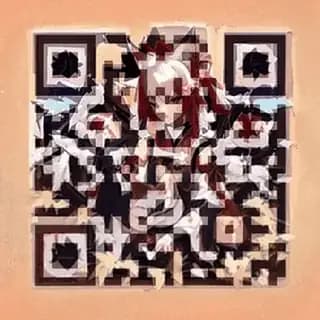
Or make it art. Same code, still scans.
Animated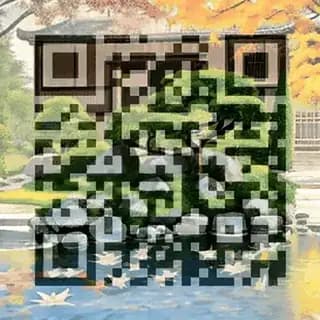


Converting a PDF to a QR code is the standard way to put a document on a table tent, a packaging insert, or a poster. It is worth being clear about the mechanics up front, because most tools are not: a QR code cannot contain a PDF. The pattern holds a few thousand characters at most, and a PDF is orders of magnitude larger. What every "PDF to QR code" tool actually does - including this one - is encode a link to the hosted file. Host the PDF somewhere with a public link, paste that link below, and download a print-ready code in seconds.
What you get
Works with any host
Your own site, Google Drive, Dropbox, SharePoint, or your CMS. If it has a public link, it makes a QR code - nothing gets uploaded to us.
Print-ready output
SVG for anything going to professional print, PNG for screens and office printers. No watermark on either, and the code never expires.
Swap the document later
Make it a dynamic code and you can replace the PDF with version 2 without reprinting a single table tent - the printed code points at a redirect you control.
How it works
- 1
Upload the PDF somewhere that gives you a public link - your site, Google Drive with "anyone with the link" sharing, Dropbox, or your CMS. Copy that link.
- 2
Paste the link into the generator below and check the live preview scans on your own phone.
- 3
Download the SVG for print or the PNG for screens. If the document will be revised, create it as a dynamic code so you can swap the file later.
Where to host the PDF
The QR code is only as durable as the link inside it, so the hosting choice matters more than the code itself.
- Your own site is best. You control the URL forever, and you can overwrite the file in place when the document is revised.
- Google Drive and Dropbox work if sharing is set to anyone-with-the-link, but both have changed their URL formats before, and a share link revoked by accident kills every printed code pointing at it.
- Compress before you publish. A 40MB brochure over mobile data is a scan people abandon. Aim for a few megabytes.
Free PDF QR code vs dynamic PDF QR code
| Free static code | Dynamic code | |
|---|---|---|
| Replace the document later | No - the link is fixed. A new file means a new code and a reprint. | Yes - point the same printed code at v2 in one click. |
| Long, ugly file URLs | Encoded as-is, which makes the pattern denser and harder to scan small. | Encodes a short redirect, so the pattern stays sparse and prints smaller. |
| Know if anyone opened it | No scan data at all. | Every scan logged with time, device, and location. |
| Price | Free forever, unlimited codes, no account. | Pro at $12/month, unlimited codes. |
Printing and sizing: table tents, posters and inserts
Most QR codes that fail in the wild fail for one of three reasons: printed too small, printed with no quiet zone, or printed with too little contrast. All three are decided before the file reaches the printer.
How big does it need to be?
The working rule is ten to one: a code scans reliably from roughly ten times its own width. A 3 cm code is comfortable at 30 cm - arm’s length. A code on a window meant to be scanned from across the pavement, say 3 metres, needs to be about 30 cm wide. For table tents, posters and inserts, 2.5 cm square on a table tent, and 20 cm or more on a poster is the practical floor. Table tents are scanned from about 30 cm, posters from two or three metres - size for the distance, not for the layout.
Leave the quiet zone alone
The blank margin around the pattern is not whitespace a designer can reclaim - it is part of the specification. Scanners need at least four modules’ worth of clear space (a module is one of the small squares) to find the code’s edges. Codes downloaded here already include it; the failure mode is a layout that crops it, or artwork that runs right up to the pattern.
Contrast and colour
Dark pattern on a light background, always - inverted codes (light on dark) are read by far fewer scanners. Keep a strong tonal difference rather than merely a colour difference: a mid-grey code on a pale-yellow background can look high-contrast to the eye and near-invisible to a camera. If you brand the code, test the printed proof, not the screen.
File format
Download the SVG for anything going to professional print. It is vector, so it stays perfectly sharp whether it prints at 2 cm or 2 metres, and it will not pick up the soft edges that make a raster code harder to read. PNG is fine for screens, documents, and office printers.
Test the proof, not the file
Before a print run of any size, scan the actual printed proof - in the light the code will live in, from the distance people will stand at, with an older phone if you have one. Laminate and gloss finishes add glare that a PDF preview will never show you.
If the destination might ever change after this goes to print, make it a dynamic code so you can repoint it without reprinting.
FAQ
Can a QR code contain a PDF file?
No. A QR code holds a few thousand characters at most, far less than any PDF. Every PDF QR code - from any tool - encodes a link to the hosted file instead. The difference matters because the file has to stay reachable at that link for the code to keep working.
Is the PDF to QR code converter free?
Yes. Unlimited static codes, no signup, no watermark, no expiry. The code is generated in your browser and the PDF stays on whatever host you chose.
Where should I host the PDF?
Your own website is best, because the link is stable and you control it. Google Drive and Dropbox work if you set sharing to anyone-with-the-link, but be aware that both occasionally change their URL formats, which can break an old printed code.
How do I update the PDF after printing the code?
With a static code you cannot - the link is fixed, so you would need to replace the file at the same URL. With a dynamic code you re-point it in one click, which is the safer choice for anything revised on a schedule, like a menu or a price list.
Will the PDF open directly on a phone?
Usually yes - both iOS and Android open PDFs in the browser. Large files are slow on mobile data, so compress before you publish if the document runs to many megabytes.
Create your first code in under a minute
Free to start, no card required. Static QR codes are free forever.
Get started free